Give visitors a reason to stop.
Practical ideas for bringing robotic coffee into your exhibition stand — from the first moment of curiosity to a conversation with your team.
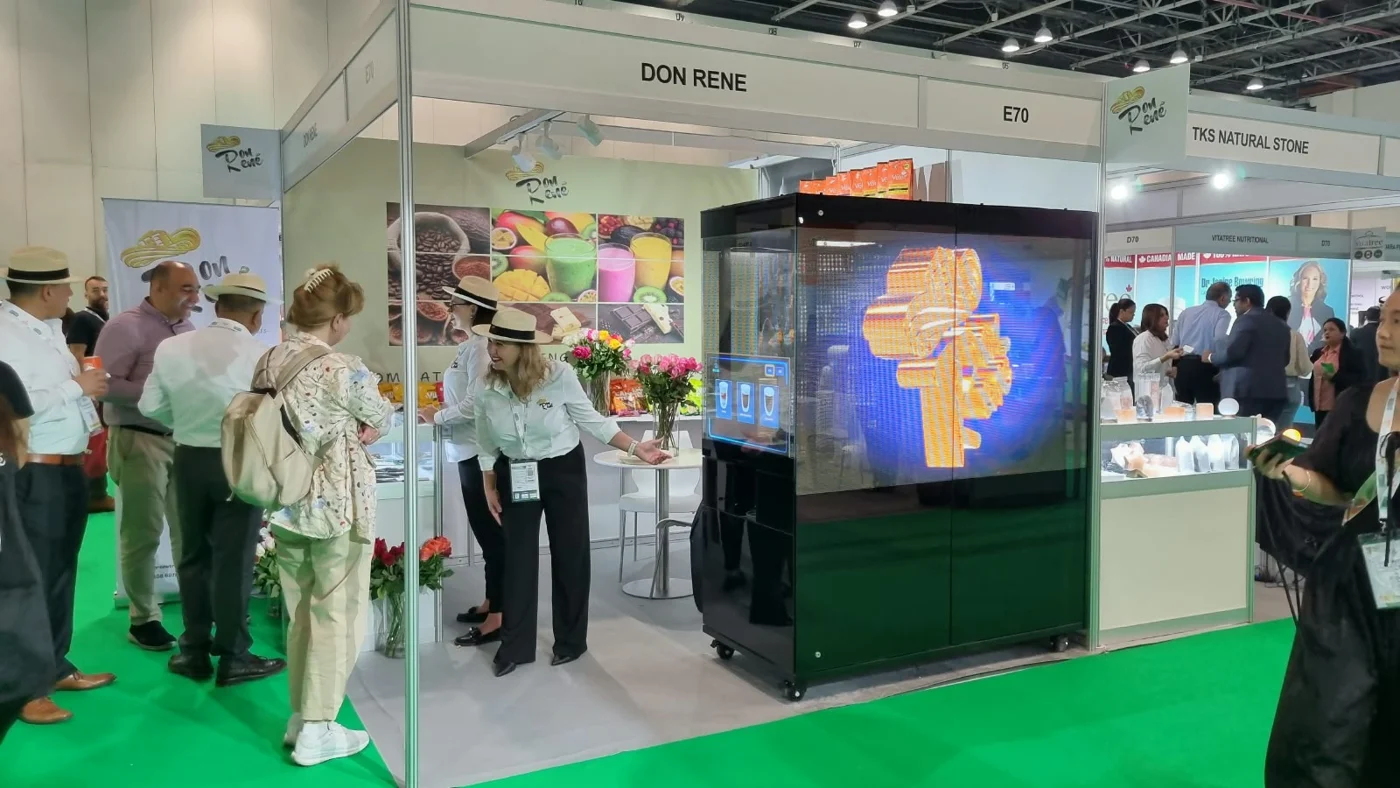
A robotic café gives people something to watch, order and enjoy. To make that moment useful for your exhibition team, plan the attraction around your stand layout, your message and the way you want to welcome visitors.
Make room for a coffee.
And a conversation.
Start with the purpose of your stand. Are you introducing a product, meeting potential partners or welcoming existing clients? Decide where the robotic coffee experience fits into that visit.
For example, a host can welcome a visitor, offer a coffee and introduce a colleague while the robot prepares the drink. The kiosk creates a natural opening; your team makes the conversation relevant.
Assign someone from your own team to greet guests and handle business enquiries. Our on-site attendant looks after the kiosk, helps visitors place orders and replenishes supplies.
A coffee order is not automatically a business lead. If you want to capture contacts, plan a clear, optional next step with your team, such as a meeting request or a QR link to your own enquiry form.
Visible from the aisle.
Comfortable inside the stand.
Give visitors a clear view of the robot at work and a straightforward route to the ordering screen and collection point. A kiosk tucked behind a wall or furniture is harder to notice.
- Share the floor plan. Mark the stand entrance, meeting area, power connection and proposed kiosk position.
- Allow for people, not just equipment. Leave space for ordering, collection and the attendant, with a waiting area that stays within the agreed stand boundary.
- Keep the main route open. Coordinate the layout with your stand contractor and venue so that visitors can still reach your displays and meeting space.
We confirm the selected kiosk’s footprint, access and operating clearance during planning. That is more useful than choosing a position from a product photograph alone.
Make the attraction
feel like your brand.
Use the kiosk to carry the same visual identity and message as the rest of your stand. Prepare a clear campaign visual, a short message and artwork that stays readable on the relevant displays.
- Brio: your supplied content on the LED displays, plus your logo or artwork printed on milk foam.
- Cafe Xbot Grande: your supplied content on the upper LCD screens, alongside the robotic coffee and soft ice cream experience.
- Printed branding: kiosk exterior graphics and 50 mm cup stickers can be arranged as additional services.
Digital branding is included in the rental. We coordinate the available surfaces and artwork requirements with you before the event, so your agency, designer and stand contractor can prepare the right files.
Choose the experience
around your event.
Both kiosks bring visible robotic preparation into an event. The right choice depends on the space, the refreshments you want to offer and the branding you have in mind.
Expoccino Brio
A compact robotic barista for a coffee-focused experience, with a transparent ordering interface, LED branding and printed latte art.
Explore BrioCafe Xbot Grande
A larger robotic café serving coffee and soft ice cream, with upper digital displays and exterior branding opportunities.
Explore GrandeFor a technology-themed exhibition or an interactive brand activation, consider what guests will actually do: watch the robot, place an order, collect a drink or ice cream, and meet your team. Those moments give the attraction a clear role in the event.
Six details to share
before the event.
- Dates and venue. Include the event days, opening hours, and the available setup and removal windows.
- Stand layout. Send a floor plan or a clear sketch with the proposed kiosk position and access route.
- Power connection. The standard requirement is single-phase 32 A with a 3-pin industrial connector. Some Grande configurations use three-phase 32 A with a 5-pin connector; we confirm the exact requirement for your installation.
- Branding files. Tell us what should appear on the screens, the kiosk exterior and cups, and who will supply the artwork.
- Serving and storage plan. Share the expected attendance and event schedule so we can agree the included servings and replenishment arrangements. For multi-day Grande events, allow space for our small refrigerator and supplies.
- Event-day contacts. Identify the stand contractor, the person coordinating access and power, and the team member who will welcome visitors.
No venue water supply, drainage or internet connection is required. We handle delivery, setup, kiosk operation and removal, with an attendant on every event day.
We recommend booking at least two weeks ahead, especially for printed branding. Short-notice requests depend on availability.
Agree what a useful
visitor interaction looks like.
Before the show, choose a few measures your team can record: relevant conversations, meeting requests, qualified enquiries or proposal requests. Review those alongside your own observations of how people used the stand.
Servings and footfall help describe activity. Qualified enquiries and follow-up meetings help you understand the business value. Keep these measures separate when reviewing the event.
Before you bring
the robot to your stand.
Can the robotic café replace our stand hosts?
The kiosk provides a hospitality experience and a point of interest. Your hosts and sales team still welcome visitors, discuss your business and manage follow-up. Our attendant focuses on kiosk operation and guest assistance.
Can visitors use it without an app?
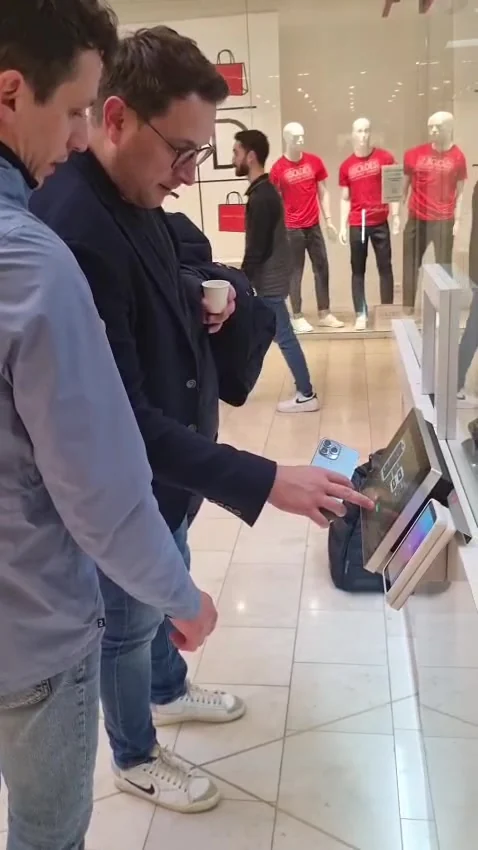
Yes. Visitors place their order at the kiosk’s ordering screen. You can introduce your own optional QR link for business enquiries as a separate part of your stand’s visitor journey.
Does the rental include branding?
Digital branding with your supplied content is included. Printed kiosk graphics and cup stickers are additional services. The available digital surfaces differ between Brio and Grande.
What should we send to request a proposal?
Your event dates, venue, opening hours and a floor plan are a useful start. Add your preferred kiosk, branding ideas and expected attendance if you have them. You can also ask us to help choose the format.